Hearing Assistant Lab
By NATHAN RIDINGS
- Category Health & Fitness
- Release Date 2026-11-16
- Current Version 1.0
- File Size 3.94 MB
- Links Google Play
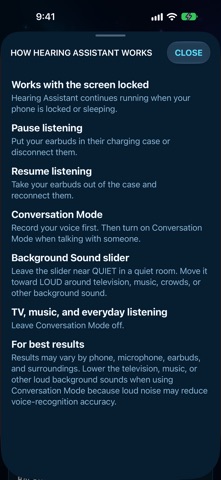
Hearing Assistant turns your iPhone into a personal sound amplifier for earbuds and headphones. Point the phone toward the person or sound you want to hear, then press Start Hearing. The microphone is amplified and sent to wired headphones, a wired headset, or Bluetooth earbuds. You can use the iPhone microphone or a headset microphone. Amplification keeps running when the screen is locked. Put the earbuds away to pause, and take them out again to resume. Volume Boost goes from 1× to 10×. It does not go higher. Start low and raise it slowly. Conversation Mode is for talking with another person. Record your voice once in a quiet place. While Conversation Mode is on, Hearing Assistant lowers your own voice in the earbuds and keeps the other person easier to hear. Leave Conversation Mode off for television, music, and everyday listening. Three timing controls let you trade a faster response for a more careful one, and you can reset them to the recommended settings. How it works explains locking the screen, pausing with the earbud case, and when to move the Background Sound slider. Important: Hearing Assistant is not a hearing aid and is not a medical device. It does not diagnose, treat, or cure hearing loss, and it does not replace a hearing professional. Amplified sound can be very loud. Stop right away if you feel discomfort, pain, or ringing. Audio is processed on your iPhone. Voice setup is stored only on the device. Nothing is uploaded.