Mockup & Demo Maker: Screeny
By Lazare Kolebka
- Category Developer Tools
- Release Date 2026-02-19
- Current Version 2.0.0
- File Size 319.59 MB
- Links Google Play
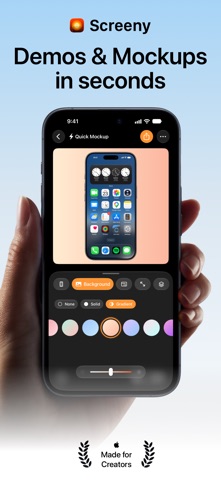
Put your app in a device frame in seconds. Screenshots for the App Store, posts for social, demo videos for your launch - in 2D or in real 3D. THE OLD WAY WAS SLOW Send the screenshot to a computer. Open a design tool. Hunt for the right bezel. Line it up. Mask the status bar by hand. Export at the right size. 15 minutes. Every single time. THE NEW WAY TAKES 3 SECONDS 1. Import your screenshot or screen recording 2. Pick your device 3. Export That's it. Status bar cleaned, frame applied, ready for your App Store page, your feed or your landing page. 2D OR 3D Flat and clean, or a real 3D device you turn with your finger. Show the front, the edge, even the back, and light it in one of five studios. Same screenshot, one tap apart. FOR YOUR APP STORE SCREENSHOTS Export the framed device with no background and drop it into Figma, Sketch or Keynote. Import up to 10 screenshots at once, style them together, and export the whole set in one tap. FOR SOCIAL Pick your ratio - 1:1, 4:5, 9:16, 16:9. Add a solid color, a gradient, your own photo, or one of thousands from Unsplash. Post it. CLEAN STATUS BAR, AUTOMATICALLY A polished screenshot shows 9:41, full signal, full battery - not 3:47, 23% and a recording indicator. One tap, and Screeny rebuilds a clean status bar while keeping the background behind it intact. On video, it does it on every single frame. EVERY DEVICE YOU NEED More than 40 frames in their real colors: iPhone 11 to iPhone 18 Pro, iPhone Air, iPhone Duo, every current iPad, MacBook, iMac and Studio Display. 21 of them in 3D. New devices the day they launch. MAKE IT MOVE Turn a screen recording into a demo video. In 3D, pick one of 13 camera moves - Sweep, Settle, Tumble, Showcase - and your app moves like a keynote. In 2D, drop a keyframe and zoom on the tap that matters. Screenshots animate too: add a move to a still and it exports as a video. Want your own shot? Turn the device at any moment on the timeline and Screeny records the pose. IPHONE DUO, OPENING AND CLOSING The foldable gets its own animations. Open it, close it, stand it like a tent or sit it like a laptop. Each display takes its own screenshot. PROJECTS: PICK UP WHERE YOU LEFT OFF A project keeps your media, your settings and your animation. Projects live in iCloud Drive, so they sync across iPhone, iPad and Mac, and you can sort them into folders, right in the Files app. In a hurry? The Quick Mockup is always there: drop in a screenshot, export, done. Like where it's going? Save it as a project. ON MAC, YOUR AI AGENT CAN DRIVE IT Screeny for Mac is a fully native app with a built-in MCP server. Connect Claude Code, Cursor or Codex and ask for your mockups in plain language. It runs locally, on folders you approve. YOUR JAR COLLECTION Every export drops a marble in your jar - 1 for a photo, 3 for a video. PRIVATE BY DEFAULT No cloud upload, no server processing. Every frame is rendered on your own device. PRICING Start with 10 free credits - 1 per image, 3 per video, same price in 3D. No watermark, ever. Then: a credit pack for occasional use, monthly or yearly for unlimited, or Lifetime - one payment, forever, across all your devices. Made by one indie developer who thought a great mockup shouldn't take an afternoon in Photoshop. - Lazare Privacy: https://getscreeny.app/privacy Terms: https://getscreeny.app/terms/