Offline Private AI Library
By Tigran Mkhitaryan
- Category Productivity
- Release Date 2025-12-12
- Current Version 1.2.1
- File Size 18.96 MB
- Links Google Play
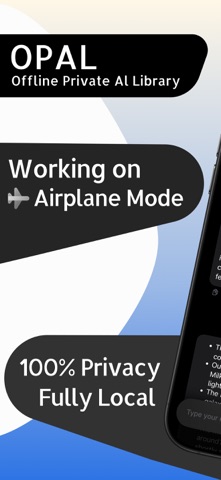
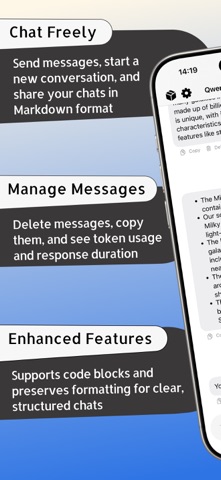
Opal AI is an offline AI app for iPhone that lets you run powerful AI models directly on your device. Everything works completely offline; no internet, no accounts, no tracking. Just download once and use it anywhere, even in airplane mode. Your conversations stay on your iPhone and nowhere else. If you’re looking for offline AI that puts privacy first, Opal AI acts as both an offline AI chatbot and a private AI assistant, built for people who want full control over their data. Opal AI includes an offline private AI library that runs modern large language models locally on your device. All AI processing happens on-device, so you can chat with AI without an internet connection or cloud services. You can browse curated MLX-compatible models from Hugging Face, download them with pause and resume support, and chat in a clean, focused SwiftUI workspace; no sign-ups required. Why offline AI? Because privacy and reliability matter. Your prompts, responses, and custom instructions never leave your device. Once a model is downloaded, this offline AI app works fully offline, including in airplane mode. It’s ideal for sensitive research, travel, or teams that need secure, offline AI chat under strict data policies. Most AI apps rely on subscriptions, cloud servers, or data collection. Opal AI takes a different approach: it’s a one-time purchase with no subscriptions, no accounts, no ads, and no tracking. All AI runs locally on your device, with nothing sent to the cloud. Download and manage AI models Opal AI makes working with offline AI models simple: - Curated Qwen, Llama, Phi, and coder models, grouped by use case with size and language details - Save your own Hugging Face repo IDs or open Hugging Face directly in the app - Pause and resume large downloads, with reminders to keep the app open when needed - Remove models with a simple swipe to free up storage Chat smarter The offline AI chat experience is designed to stay out of your way: - Clean Markdown conversations with headings, lists, and code blocks - Quick starters to help you begin new chats - Share or export conversations as Markdown with timestamps - Pause or resume responses while they’re generating - Copy individual replies or remove specific messages from chat history - Clear status indicators when models are loading or busy Tune it your way Customize how your offline AI assistant behaves: - Light and dark themes with accent color options - Prompt profiles for reusable system and starter prompts - Forced language settings: Auto, English, or Russian - Controls for temperature, top-p, max tokens, context size, and repetition - One-tap reset to default settings anytime On-device processing This offline AI app is powered by MLX and LocalLLMClient for local inference. After a model is downloaded, all AI runs remain fully offline; no cloud calls. A system info view shows memory usage and device capabilities, helping you choose models that fit your iPhone. Opal AI is built for experimentation and learning. It’s not a replacement for professional advice and may sometimes produce incorrect or outdated information.