PC View Mode for Safari
By Seiya.k
- Category Utilities
- Release Date 2025-12-12
- Current Version 1.3.4
- File Size 6.63 MB
- Links Google Play
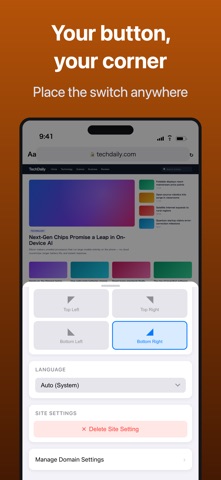
You tapped "Request Desktop Website" in Safari, and the page stayed in its mobile layout. Or a site told you "Please use a PC to access this page" and stopped you there. PC View Mode is a Safari extension that opens those sites on iPhone and iPad as the real desktop version. ▼ What it does · Tap the button once and the site switches to its desktop layout · The site is remembered, so it opens in desktop view automatically from then on · Tap the same button again to go back to the mobile layout ▼ Why it works where Safari's built-in option doesn't Safari's built-in option only changes how your browser identifies itself (the User-Agent). Your screen width stays the same, so sites that pick a layout by width stay in mobile mode. PC View Mode changes both: how the browser identifies itself and the page width it reports. That is why sites that ignored the built-in option switch to their desktop layout here. ▼ Made for · Working in company systems and admin panels (WordPress, AWS, internal tools) while away from your desk · Booking and member sites that show "desktop only" or block phones · YouTube, Amazon, eBay and Wikipedia with the full desktop UI, filters and comparison tables · Using an iPad as a laptop replacement, with sites looking exactly as they do on a PC ▼ Key features · One-tap switch between desktop and mobile view · Per-site rules remembered automatically (manage or delete them from the settings list) · Three page widths to choose from (1024px / 1280px / 1440px) · Floating button on the page: pick any of the four corners, or hide it · UI in 33 languages, with a manual language override ▼ No surprises · One-time purchase. No subscription, no in-app purchases · No ads · No data collection. All settings stay on your device Requirements: Safari on iOS 16 or later (iPhone / iPad). iOS 16.4 or later recommended. On first use, turn on PC View Mode under Settings → Safari → Extensions. A step-by-step guide is included in the app.