Practice Combination Lock
By Chirag Mirani
- Category Education
- Release Date 2026-10-15
- Current Version 1.0
- File Size 6.09 MB
- Links Google Play
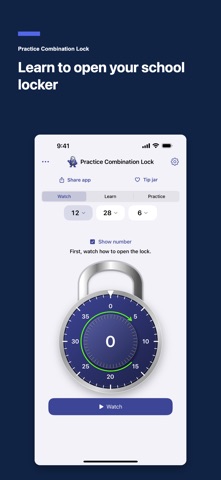
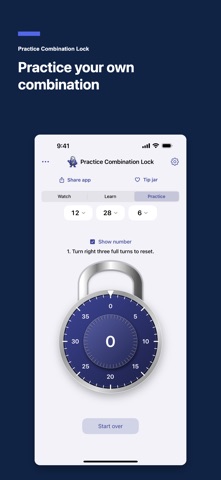
Practice opening your school locker with three simple modes: watch a demonstration, follow guided turns, then try your combination on your own. Practice Combination Lock helps students and first-time users learn the right–left–right sequence on a realistic 0–39 dial. Enter your own three-number combination or try a random one, and practice at your own pace. WATCH See each turn happen slowly. Green direction arrows, a full-turn counter and clear instructions show how to clear the lock and reach each number. LEARN Turn the dial yourself with guidance along the way. Learn when to keep turning, when to stop and when to change direction. PRACTICE Try the sequence independently, without direction arrows. Show the live center number, or hide it to read the dial markings as you would on a physical combination lock. Your choice is saved. MAKE EACH OPEN A LITTLE VICTORY Enjoy confetti, varied celebration sounds and optional haptic feedback when you get it right. Sound and haptics have separate controls. KEEP IT SIMPLE • Unlimited combination lock practice • Your own combination or randomly generated numbers • Printable PDF instructions for your combination • Seven lock colors, with matching Locky and controls • One clear practice screen • Works offline • No ads or subscriptions; optional one-time tips only • No account or tracking For students getting ready for a school locker, parents helping a child learn, and anyone who wants to feel more comfortable using a combination lock. Designed for three-number rotary combination locks with a 0–39 dial. Follow the instructions supplied with your physical lock if its opening sequence differs. All practice features are free. Parents can optionally support development with a one-time tip in Settings. Tipping unlocks no features and is never required.