Tactello
By Burak Kocak
- Category Sports
- Release Date 2026-10-15
- Current Version 1.0.0
- File Size 23.26 MB
- Links Google Play
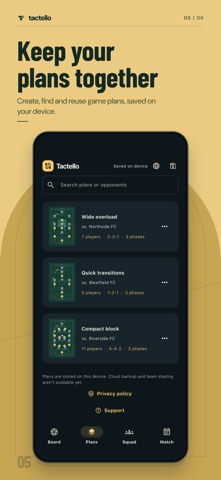
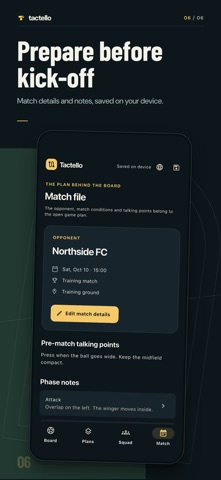
Put your thinking on the pitch. Tactello is an offline football tactics board for preparing and discussing match plans. No account is needed. BUILD YOUR PLAN Move players and the ball. Draw arrows, freehand lines and shaded zones in different colours. Set up teams with 2–11 players, including the goalkeeper, and choose a formation or create your own. THINK IN THREE PHASES Keep separate positions, drawings and notes for attack, defence and transition. Change player names and shirt numbers across all three phases. Undo and redo your edits. KEEP MATCH PREPARATION TOGETHER Create, search, copy and open local plans. Add the opponent, venue, competition, match time and notes. Autosave and a manual save button help you keep track of changes. USE THE BOARD YOUR WAY Hide opponents, open the board full screen and choose from 13 interface languages: English, Turkish, Spanish, French, German, Portuguese, Italian, Polish, Russian, Arabic, Japanese, Korean and Simplified Chinese. You can also follow your device language. Layouts adapt to phones, tablets and landscape use. New installations include five local tactic slots. Plans and preferences are stored on your device. There is no cloud sync or device-to-device backup; deleting the app or losing your device can remove your plans. Tactello does not currently export plans or provide live collaboration. ADVERTISING For adults aged 18 and over, banners may appear in Plans, Squad and Match, and occasional interstitials may appear after saved editing. Optional rewarded ads unlock one extra tactic slot each, up to five extra slots. Ad requests are non-personalised. On iOS, tracking permission for ad measurement is optional; refusing it does not restrict the app. No ads are requested for users under 18 or those who do not share their age band. Privacy: https://tactello.cryoss.com/privacy.html Support: https://tactello.cryoss.com/support.html